Published July 22, 2026 · Downloaded 8 times
About this cars & bikes wallpaper
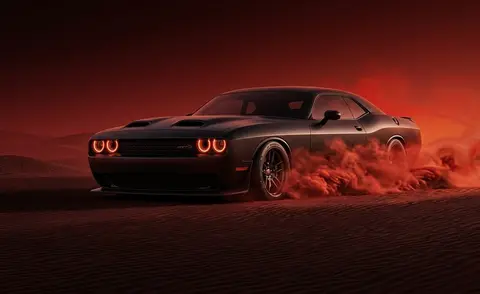
The AMG GT's glossy red paint catches light from what appears to be an overcast sky, giving the reflections a smooth, diffused quality rather than harsh highlights. Cherry blossom trees frame the car from above, their pale pink petals creating a soft canopy that contrasts with the aggressive body lines of the vehicle. The outdoor setting and natural lighting keep the image from feeling like a studio render.
The cherry blossoms distribute bright tones across the upper portion of the frame, while the red car anchors the lower center. This layout means desktop icons in the top-left corner will sit against lighter foliage, so icon readability depends on your theme choice. On a dark dock or taskbar, the red body reads cleanly without competing elements.
Mercedes enthusiasts who want something more organic than a showroom shot will appreciate the outdoor framing. It pairs well with light or pastel desktop themes, and the spring-flower motif makes it a seasonal choice that still holds up year-round. For dual-monitor setups, it works as a left-screen anchor with something darker on the right.
How to set this wallpaper on your device
On iPhone or iPad
- Tap Download original above, or choose Mobile sizes for an iPhone-optimized pack.
- Save the image to your Photos app.
- Open Photos, tap the image, then tap Share → Use as Wallpaper.
- Pinch to adjust the position, then tap Set and choose Lock Screen, Home Screen, or Both.
On Android
- Download the wallpaper by tapping Download original or Mobile sizes.
- Open the image in your gallery app.
- Tap the menu (three dots) and select Set as wallpaper.
- Choose Home screen, Lock screen, or both, then confirm.
On Windows
- Download the wallpaper — tap Desktop sizes for a 1080p, 2K or 4K version.
- Right-click the downloaded file and select Set as desktop background.
- Alternatively, go to Settings → Personalization → Background and browse to the file.
On macOS
- Download the wallpaper — tap Desktop sizes for a resolution-matched version.
- Open the image and right-click, or open System Settings → Wallpaper.
- Select Set Desktop Picture and choose your display.
Not sure which size to pick? The original download works at any resolution, but for the sharpest result match your screen. Our upscale guides walk through exact resolutions for every popular device, or use the Pinterest image upscaler to generate custom sizes from this or any other image.
Why this wallpaper works on your screen
The image is widescreen 16:9 at 1376×768, and its dominant tones lean deep crimson — a good match for a 16:9 laptop, desktop monitor or smart TV. Widescreen wallpapers like this one sit cleanly on monitors and laptops without letterboxing or stretching. If your display is 4K, you can upscale this image for even sharper detail using the desktop sizes preset. Tap Desktop sizes to generate exact resolutions for your device without any cropping, or paste it into the Pinterest image upscaler for custom sizes.
Understanding this wallpaper's dimensions
This image measures 1376 pixels wide by 768 pixels tall, giving it a 1.79:1 aspect ratio.Being wider than it is tall, it's a landscape-oriented image — the standard format for desktop and laptop monitors where the horizontal axis is longer.
The file is a JPEG at 726 KB, which meansit's a moderate size — a good balance between image quality and download speed.
If you need this wallpaper at a different resolution — say, a specific iPhone model or an ultrawide monitor — the image upscaler can generate every common device size from this image in one download. The upscaled versions use the original as the source and fit it inside each target frame without cropping.