About BMW
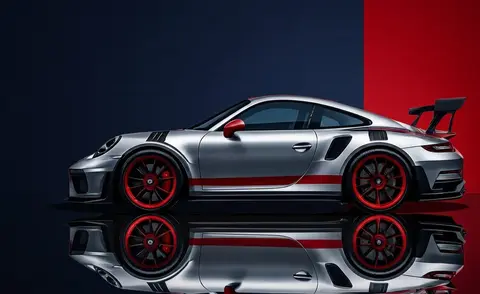
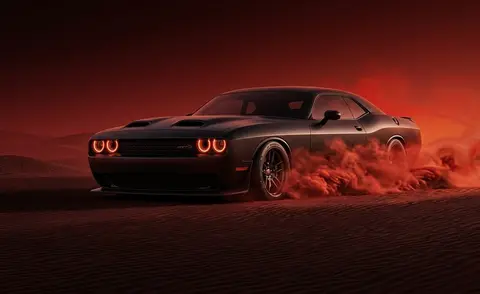
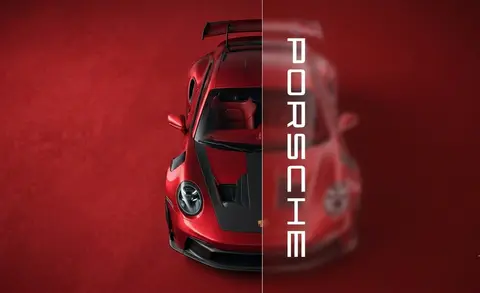
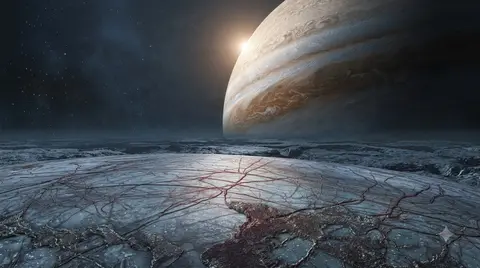
BMW wallpapers celebrate the M division's sharpest moments, from an M4 under neon to an M440i in cherry-blossom light. Crisp, colourful and detail-focused, they look best on big bright monitors where the metallic finishes and vivid backgrounds can shine. The collection also includes the iconic M logo as a standalone design.
4 BMW wallpapers live in the gallery — open the collection to browse them all.
- The M logo wallpaper is one of the most-requested car wallpapers in the gallery.
- Neon and cherry-blossom M-car scenes suit both dark and light desktop themes.
- The collection includes M4, M440i and GT3 racer designs alongside the standalone M logo.
About this cars & bikes wallpaper
The M4 GT3 is shot from a three-quarter front angle that emphasizes the aggressive fender flares and the low splitter cutting across the lower frame. The M Motorsport livery with its signature tri-color stripes runs along the bodywork cleanly, and the studio-style lighting picks out every aerodynamic surface without the visual noise of a track environment. It is a technical photograph dressed as a wallpaper.
The dark, neutral background makes this a natural fit for a desktop where you want the car to command attention without clashing with folder icons or browser tabs. On a phone the front-three-quarter angle keeps the car's face readable even at thumbnail scale. The controlled studio lighting means there are no blown-out highlights that would fight with a light-mode status bar.
Motorsport enthusiasts who lean toward GT3 racing over street-car aesthetics will find this hits the right tone. It is clean enough for a professional workspace desktop and detailed enough to reward a closer look on a larger monitor. Pair it with a dark taskbar and a minimal icon set to keep the engineering details front and center.
How to set this wallpaper on your device
On iPhone or iPad
- Tap Download original above, or choose Mobile sizes for an iPhone-optimized pack.
- Save the image to your Photos app.
- Open Photos, tap the image, then tap Share → Use as Wallpaper.
- Pinch to adjust the position, then tap Set and choose Lock Screen, Home Screen, or Both.
On Android
- Download the wallpaper by tapping Download original or Mobile sizes.
- Open the image in your gallery app.
- Tap the menu (three dots) and select Set as wallpaper.
- Choose Home screen, Lock screen, or both, then confirm.
On Windows
- Download the wallpaper — tap Desktop sizes for a 1080p, 2K or 4K version.
- Right-click the downloaded file and select Set as desktop background.
- Alternatively, go to Settings → Personalization → Background and browse to the file.
On macOS
- Download the wallpaper — tap Desktop sizes for a resolution-matched version.
- Open the image and right-click, or open System Settings → Wallpaper.
- Select Set Desktop Picture and choose your display.
Not sure which size to pick? The original download works at any resolution, but for the sharpest result match your screen. Our upscale guides walk through exact resolutions for every popular device, or use the Pinterest image upscaler to generate custom sizes from this or any other image.
Why this wallpaper works on your screen
The image is widescreen 16:9 at 1376×768, and its dominant tones lean soft neutral grey — a good match for a 16:9 laptop, desktop monitor or smart TV. Widescreen wallpapers like this one sit cleanly on monitors and laptops without letterboxing or stretching. If your display is 4K, you can upscale this image for even sharper detail using the desktop sizes preset. Tap Desktop sizes to generate exact resolutions for your device without any cropping, or paste it into the Pinterest image upscaler for custom sizes.
Understanding this wallpaper's dimensions
This image measures 1376 pixels wide by 768 pixels tall, giving it a 1.79:1 aspect ratio.Being wider than it is tall, it's a landscape-oriented image — the standard format for desktop and laptop monitors where the horizontal axis is longer.
The file is a JPEG at 582 KB, which meansit's a moderate size — a good balance between image quality and download speed.
If you need this wallpaper at a different resolution — say, a specific iPhone model or an ultrawide monitor — the image upscaler can generate every common device size from this image in one download. The upscaled versions use the original as the source and fit it inside each target frame without cropping.