About this space wallpaper
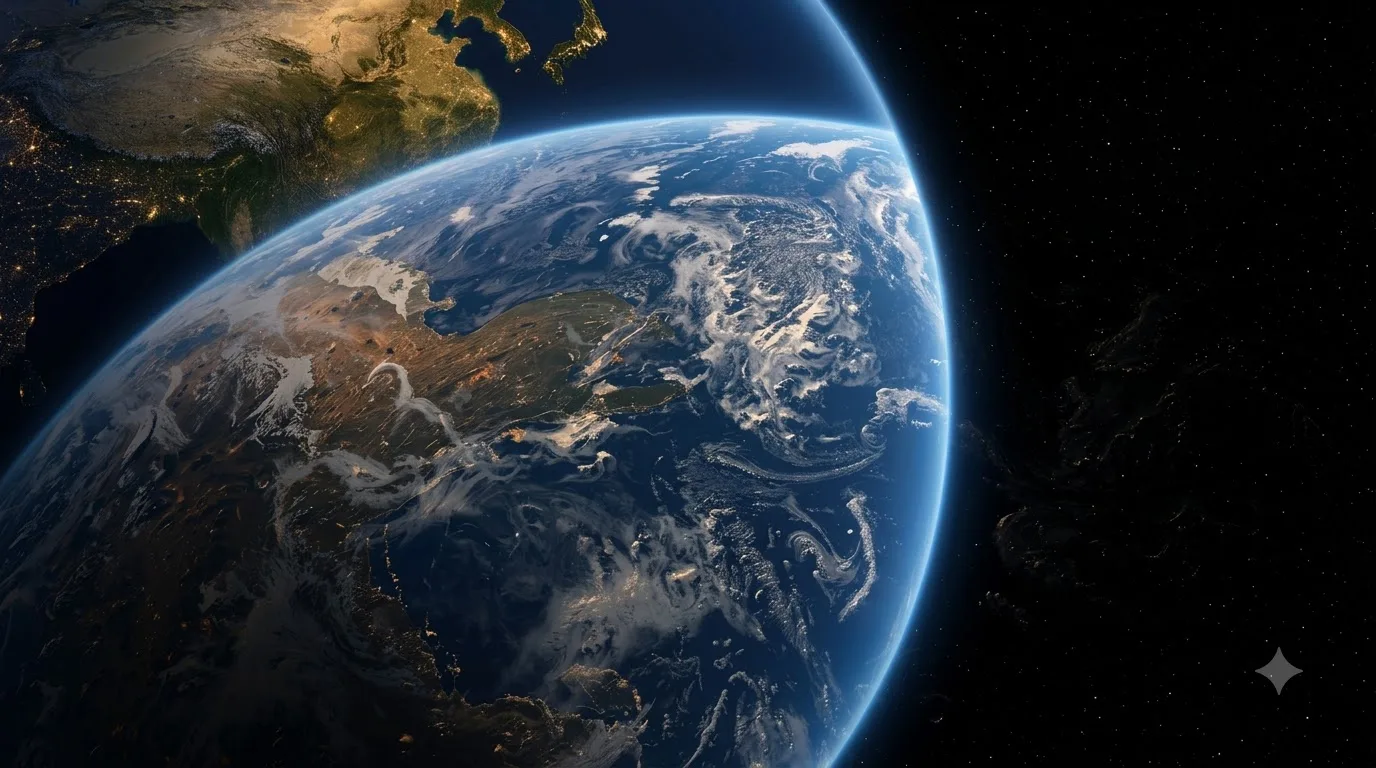
Earth's curved horizon caught in a sliver of sunlight, with the terminator line dividing day from night across the visible surface. The cloud formations are detailed enough to trace individual weather systems, and the continents show genuine topographic depth rather than flat color fills. The sunlight catches the atmosphere in a thin, bright arc along the curve, and the transition from blue ocean to brown landmass to white cloud cover gives the image a layered richness that rewards close inspection.
The dark space surrounding the planet provides ample room for system elements, while the bright arc of the atmosphere keeps the upper portion of the frame from feeling empty. The color balance leans cool, with blues and whites dominating, which means it pairs well with standard OS color schemes without creating tonal conflicts. On AMOLED, the deep blacks of space are absolute, and the sunlit Earth edge becomes the brightest point in the image. It scales well from phone to ultrawide.
This is a timeless choice that works across contexts, from a home office to a shared family computer. It carries a certain gravity that suits a workspace without feeling heavy, and the subject matter is universally recognized. If you are building a space-themed wallpaper rotation, this is the anchor piece, the one that grounds the collection in something real before the more imaginative compositions take over.
How to set this wallpaper on your device
On iPhone or iPad
- Tap Download original above, or choose Mobile sizes for an iPhone-optimized pack.
- Save the image to your Photos app.
- Open Photos, tap the image, then tap Share → Use as Wallpaper.
- Pinch to adjust the position, then tap Set and choose Lock Screen, Home Screen, or Both.
On Android
- Download the wallpaper by tapping Download original or Mobile sizes.
- Open the image in your gallery app.
- Tap the menu (three dots) and select Set as wallpaper.
- Choose Home screen, Lock screen, or both, then confirm.
On Windows
- Download the wallpaper — tap Desktop sizes for a 1080p, 2K or 4K version.
- Right-click the downloaded file and select Set as desktop background.
- Alternatively, go to Settings → Personalization → Background and browse to the file.
On macOS
- Download the wallpaper — tap Desktop sizes for a resolution-matched version.
- Open the image and right-click, or open System Settings → Wallpaper.
- Select Set Desktop Picture and choose your display.
Not sure which size to pick? The original download works at any resolution, but for the sharpest result match your screen. Our upscale guides walk through exact resolutions for every popular device, or use the Pinterest image upscaler to generate custom sizes from this or any other image.
Why this wallpaper works on your screen
The image is widescreen 16:9 at 1376×768, and its dominant tones lean midnight blue — a good match for a 16:9 laptop, desktop monitor or smart TV. Widescreen wallpapers like this one sit cleanly on monitors and laptops without letterboxing or stretching. If your display is 4K, you can upscale this image for even sharper detail using the desktop sizes preset. Tap Desktop sizes to generate exact resolutions for your device without any cropping, or paste it into the Pinterest image upscaler for custom sizes.
Understanding this wallpaper's dimensions
This image measures 1376 pixels wide by 768 pixels tall, giving it a 1.79:1 aspect ratio.Being wider than it is tall, it's a landscape-oriented image — the standard format for desktop and laptop monitors where the horizontal axis is longer.
The file is a JPEG at 212 KB, which meansit's a lightweight download that loads quickly even on slower connections.
If you need this wallpaper at a different resolution — say, a specific iPhone model or an ultrawide monitor — the image upscaler can generate every common device size from this image in one download. The upscaled versions use the original as the source and fit it inside each target frame without cropping.