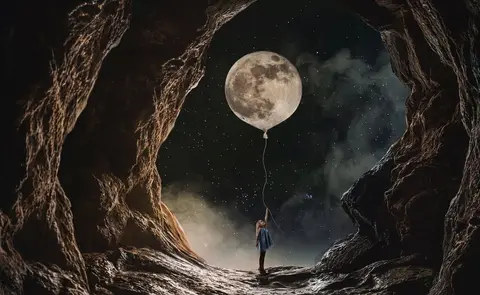
About this festivals wallpaper
Violet and electric blue share this frame, the classic neon pairing of a festival night: purple light washed over a field, blue accents picking out the shapes in between. It has the optical hum of a club without the strobing, so it can sit on your screen all day.
Purple-toned walls flatter almost any interface because they sit comfortably between warm and cool. Dark and light mode both look good against violet, and white or lavender text stays readable over most windows of the image.
Use it on a gaming desktop or a studio computer where the color fits the vibe. Combine it with an ambilight or accent lighting in a similar violet and the whole corner of the room will carry the same festival energy.
How to set this wallpaper on your device
On iPhone or iPad
- Tap Download original above, or choose Mobile sizes for an iPhone-optimized pack.
- Save the image to your Photos app.
- Open Photos, tap the image, then tap Share → Use as Wallpaper.
- Pinch to adjust the position, then tap Set and choose Lock Screen, Home Screen, or Both.
On Android
- Download the wallpaper by tapping Download original or Mobile sizes.
- Open the image in your gallery app.
- Tap the menu (three dots) and select Set as wallpaper.
- Choose Home screen, Lock screen, or both, then confirm.
On Windows
- Download the wallpaper — tap Desktop sizes for a 1080p, 2K or 4K version.
- Right-click the downloaded file and select Set as desktop background.
- Alternatively, go to Settings → Personalization → Background and browse to the file.
On macOS
- Download the wallpaper — tap Desktop sizes for a resolution-matched version.
- Open the image and right-click, or open System Settings → Wallpaper.
- Select Set Desktop Picture and choose your display.
Not sure which size to pick? The original download works at any resolution, but for the sharpest result match your screen. Our upscale guides walk through exact resolutions for every popular device, or use the Pinterest image upscaler to generate custom sizes from this or any other image.
Why this wallpaper works on your screen
The image is landscape at 2048×1366, and its dominant tones lean deep violet — a good match for tablets and smaller monitors, or a phone held in landscape. Widescreen wallpapers like this one sit cleanly on monitors and laptops without letterboxing or stretching. If your display is 4K, you can upscale this image for even sharper detail using the desktop sizes preset. Tap Desktop sizes to generate exact resolutions for your device without any cropping, or paste it into the Pinterest image upscaler for custom sizes.
Understanding this wallpaper's dimensions
This image measures 2048 pixels wide by 1366 pixels tall, giving it a 1.50:1 aspect ratio.Being wider than it is tall, it's a landscape-oriented image — the standard format for desktop and laptop monitors where the horizontal axis is longer.
The file is a JPEG at 636 KB, which meansit's a moderate size — a good balance between image quality and download speed.
If you need this wallpaper at a different resolution — say, a specific iPhone model or an ultrawide monitor — the image upscaler can generate every common device size from this image in one download. The upscaled versions use the original as the source and fit it inside each target frame without cropping.